SHUNTER / BY VALERON
Mining workforce management software
Coordinate the people behind mining, maintenance and project work. Shunter brings workforce records, availability, qualifications, mobilisation requirements and assignments into an operational workflow your team can follow.
For operations, maintenance and workforce managers, mobilisation teams, mining contractors and labour-hire businesses coordinating people across sites and projects.
Part of the Shunter operational platform
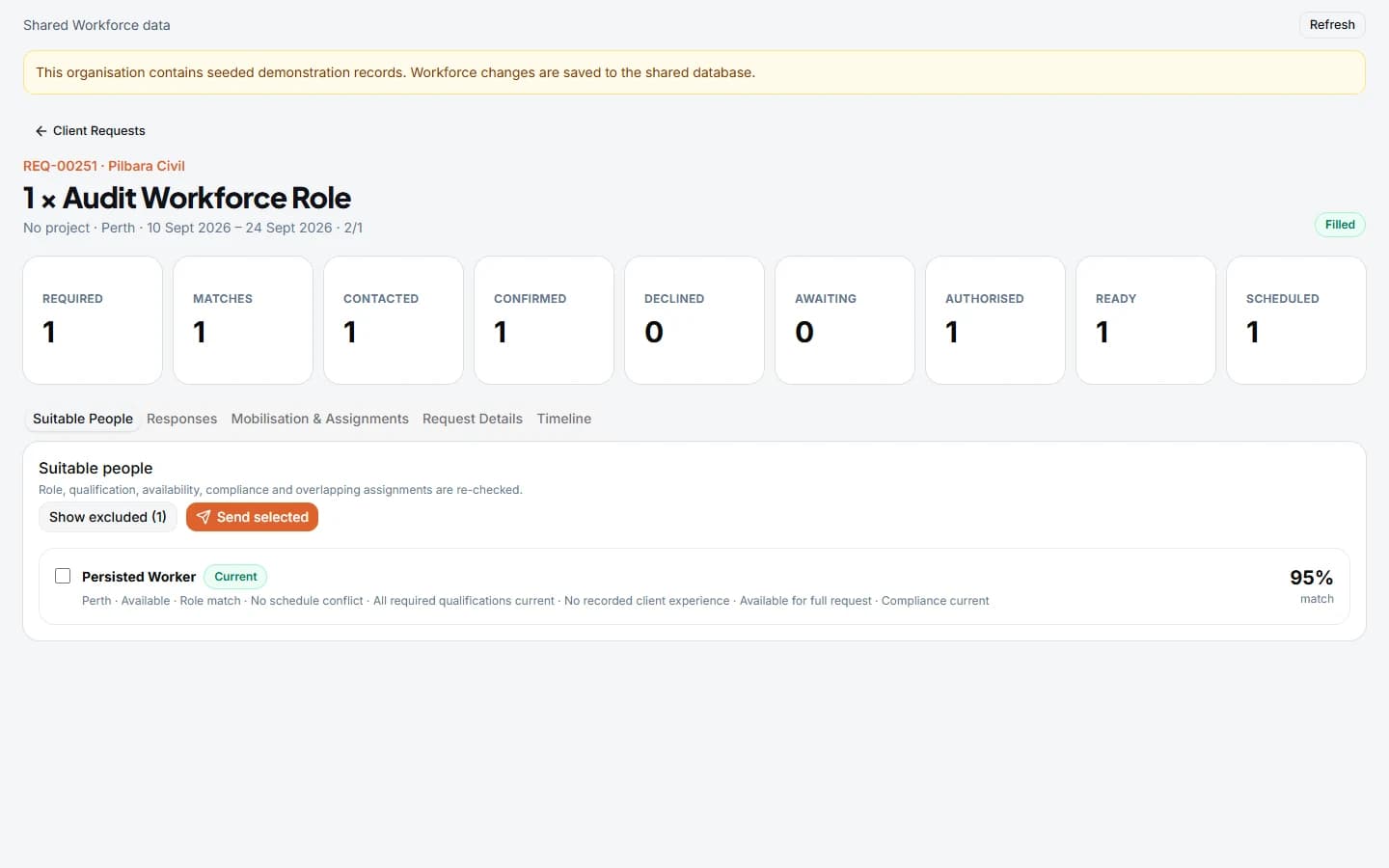
A confirmed person still needs to be ready for the work.
A labour request sets the requirement. Availability, evidence and mobilisation checks determine the next steps. Keep those decisions visible as people move from consideration to authorised assignments.
FROM REQUIREMENT TO ASSIGNMENT
01
Define the workforce requirement
Record the role, number of people, dates, location, shift and required qualifications against the client request. Give a maintenance contractor or labour-hire coordinator a clear requirement to work from.
- Keep request details and chronological activity together.
- Set the qualification requirements and mobilisation checklist for the work.
02
Find suitable people
Search workforce records by role, location, availability and compliance status. Review candidate matches against the request, including qualifications and overlapping assignments.
- Keep employee, casual and contractor personnel in the shared people record.
- Review the reasons behind a match before authorising an assignment.
03
Coordinate responses and authorisation
Record outreach activity, share candidate response links and review confirmations or declines. Authorising selected people creates the assignment and mobilisation records.
Response links are shared manually. Recording outreach or a follow-up does not send an email or SMS.
04
Check mobilisation readiness
Work through the required checklist, review linked evidence and see what remains pending, missing, expired or in need of action. Keep readiness tied to the individual assignment.
Qualifications and licences are recorded evidence for review. Shunter does not independently verify a licence or deliver training and competency assessments.
05
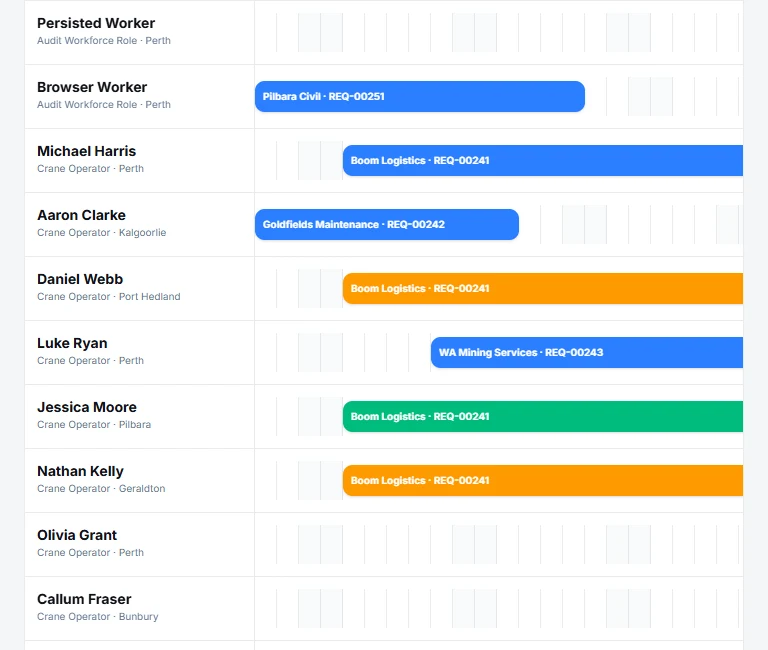
See workforce assignments
Review assignments across a date range, with filters for people, role, client, project, site, employment type and status. Recorded availability and overlapping assignments help coordinators identify issues to resolve.
This is assignment scheduling and visibility. It does not generate optimised rosters or manage fatigue rules.
06
Connect people with operational resources
For crane and equipment work, Shunter also supports asset and person assignments against operational bookings, with availability and conflict checks.
Asset bookings and workforce assignments are distinct workflows. Their relationship is agreed during implementation; automatic synchronisation between all schedules is not assumed.
07
Review workforce information
See open requests, available people and readiness states. Export workforce compliance information covering personnel availability, evidence coverage and expiring items for operational review.
Recorded readiness supports a coordinator’s decision. It is not a guarantee of site compliance.
ILLUSTRATIVE LABOUR REQUEST
A maintenance contractor needs fitters for a shutdown.
An example workflow, not a customer case study. Dates, people and requirements are illustrative; the screenshots use synthetic test records.
01
Set the requirement
A coordinator records the site, work dates, fitter roles and required qualifications against the client request.
02
Review and confirm people
The team reviews suitable candidates and availability, shares response links, then authorises selected people.
03
Resolve readiness items
The coordinator reviews required evidence and outstanding mobilisation items before progressing assignments.
04
Review the assignment period
The workforce calendar shows who is assigned and when. Changes and conflicts are reviewed against the recorded requirement.
For the wider event, explore mining shutdown planning and execution with Shunter.
IMPLEMENTATION
Start with your people and requirements.
Bring your personnel records, roles, qualification catalogue, availability process and mobilisation checklist. We agree who maintains evidence, who authorises assignments and how the workflow fits your sites.
Review the configured process with coordinators and representative users before operational rollout. Scope any system connections and reporting needs explicitly.
Choose the workflow that fits.
For vendor nominations and supplier-facing workforce requests, explore Requestz contractor mobilisation. For recording hours against work orders, see Timesheetz labour capture.
These are separate Valeron products. Shunter’s workforce use case covers operational personnel coordination; supplier commercial management and automatic connections between products are not assumed.
Questions about mining workforce management
Can Shunter manage employees, casuals and contractors?
Yes. Shared person records and workforce profiles support those employment contexts, with roles, qualifications, availability and assignments. This is operational personnel coordination, not a complete recruitment or HR suite.
How are availability and overlapping assignments checked?
Coordinators record availability periods and review candidate matching and assignment conflicts for the requested dates. The workforce schedule provides a filtered view of assignments and their status.
How are qualifications and licences managed?
Record qualifications, associated competencies, evidence and expiry information, then review their status against the work requirement. External licence verification and training delivery are outside this workflow.
What determines mobilisation readiness?
The configured checklist, required evidence and recorded item statuses determine the next mobilisation steps. Your team agrees the requirements and remains responsible for reviewing whether a person is ready for the site and work.
Is this an automated workforce rostering system?
The current workforce calendar shows dated assignments and status. It does not provide automatic roster optimisation, fatigue management, payroll, award interpretation or reusable crew allocation.
Does Shunter send candidate emails or SMS messages?
No. The current workflow records outreach and follow-ups and generates response links for manual sharing. Recording an outreach action is not confirmation that a message was delivered.
How does this differ from Requestz and Timesheetz?
Shunter coordinates operational personnel, availability, readiness and assignments. Requestz is a separate product focused on workforce requests, vendor nominations and mobilisation coordination. Timesheetz focuses on labour capture. Separate product workflows and any required connections are discussed during scoping.
SEE SHUNTER IN PRACTICE
Walk through your next workforce requirement.
Bring a workforce request, readiness challenge or allocation process. We’ll show the relevant capabilities and discuss the configuration your operation needs.