Orders and movements
Provide exports for the same population: order and execution identifiers, completion dates, material movements, posting dates, quantities and units. Optional grouping and values need their own agreed meaning.

Valeron / Operational software
METRICZ / BY VALERON
Investigate maintenance material issues, reversals and recurring return patterns. Metricz takes uploaded exports through validation and analysis to findings you can trace, review and report.
Start with your exported data. The export structure, movement meanings and source coverage must be configured and validated for your dataset. Metricz’s current focus is material analysis and audit workflows.
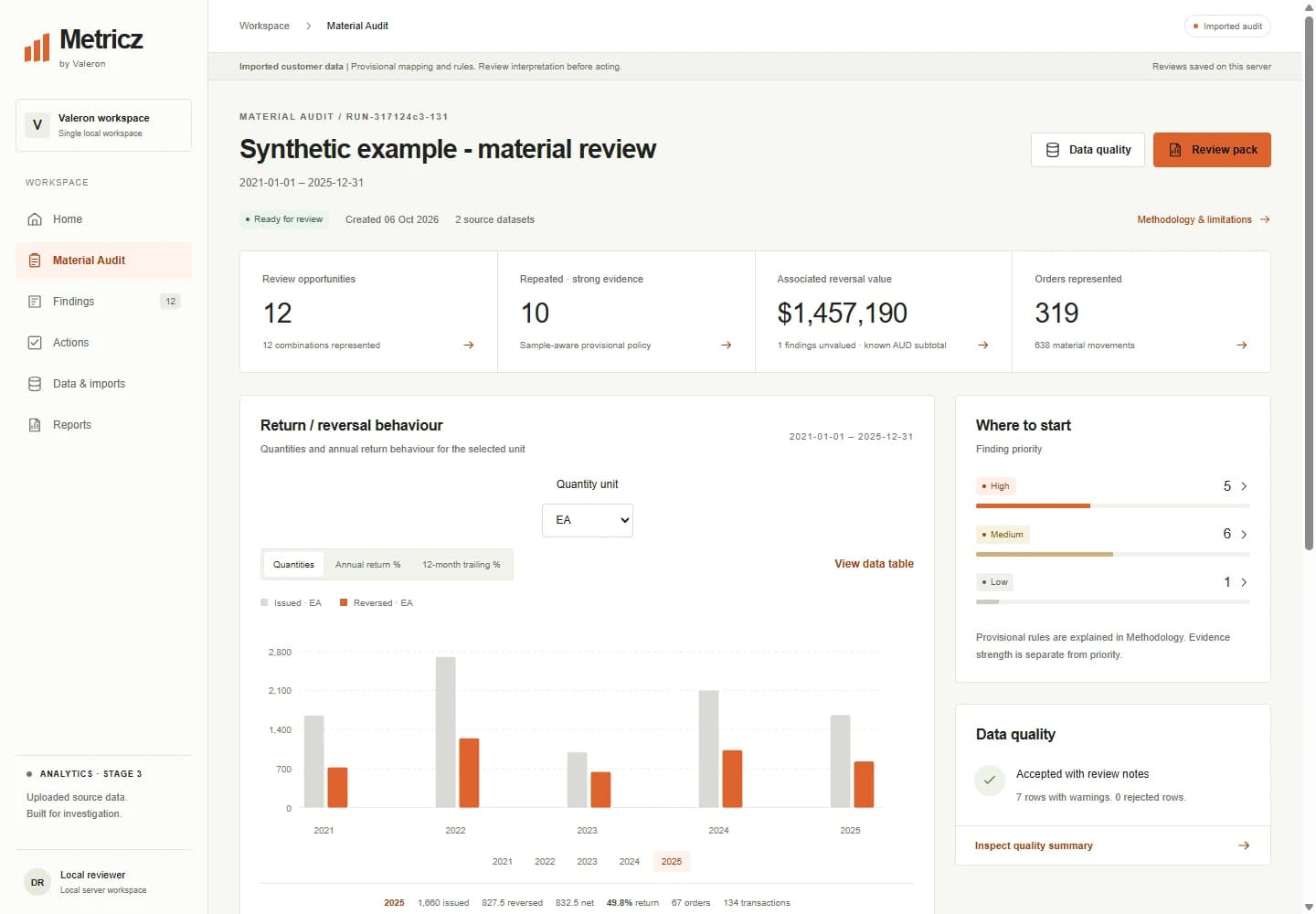
START WITH A MAINTENANCE QUESTION
Does the same material show high returns across several adequately sampled years?
Are issue and reversal quantities changing, or is one unusual period driving the result?
Which orders and movements explain the pattern, and what needs to be checked before acting?
UPLOAD FIRST
Manual Excel/CSV upload is a permanent core capability. Keep control of the source files, interpretation and analysis period without connecting Metricz to SAP.
01
Prepare orders and material movements for the same population.
02
Load values-only XLSX or supported UTF-8 CSV files.
03
Select the dataset and inspect its columns and rows.
04
Map fields and explicitly define movement and date interpretation.
05
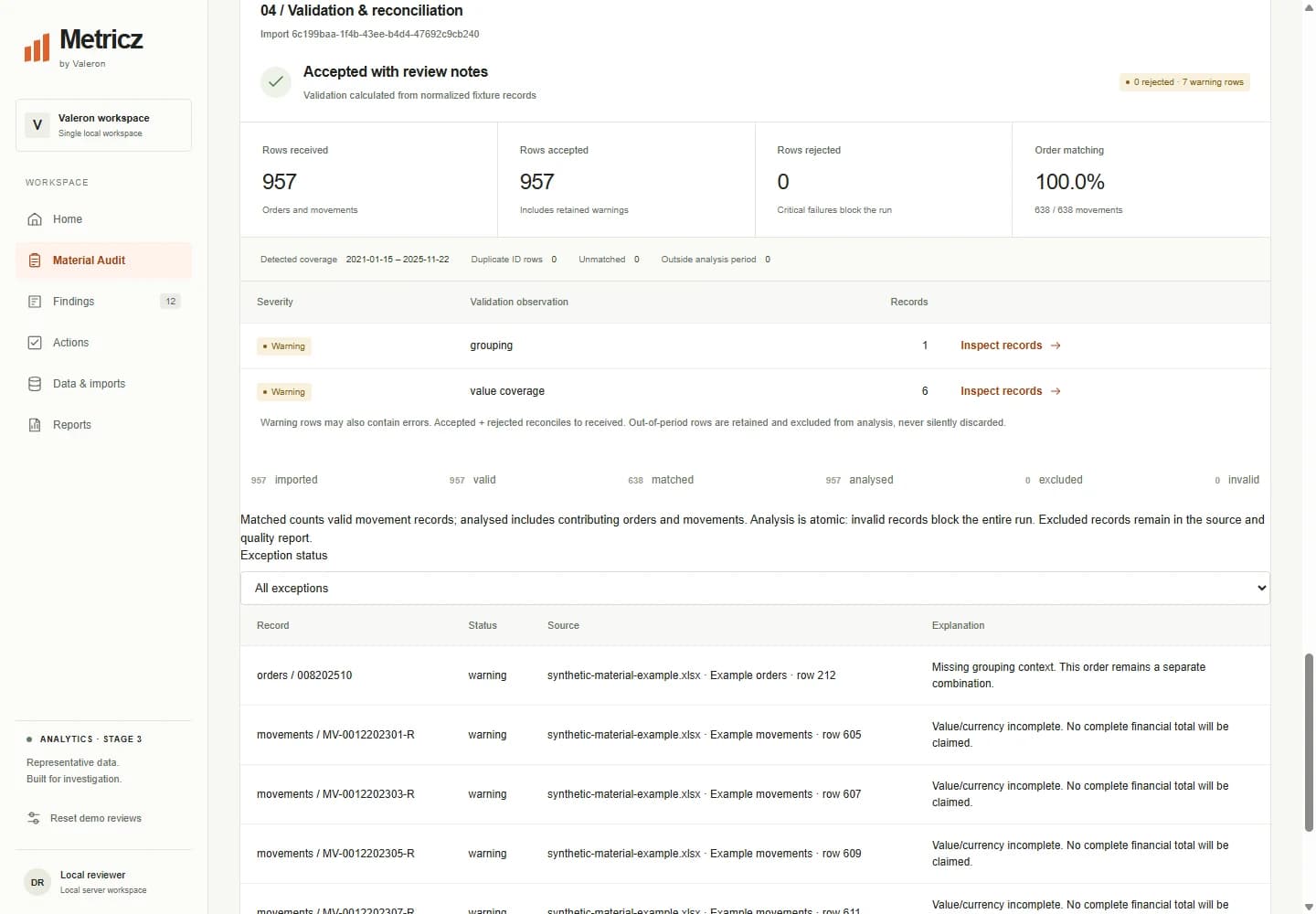
Review errors, exceptions and record reconciliation.
06
Use consistent order and movement records with source references.
07
Calculate quantities, rates and eligible historical trends.
08
Identify explainable material patterns worth reviewing.
09
Follow contributing transactions back to their source.
10
Record the decision, evidence, owner and next action.
11
Export the scoped findings and review evidence to Excel.
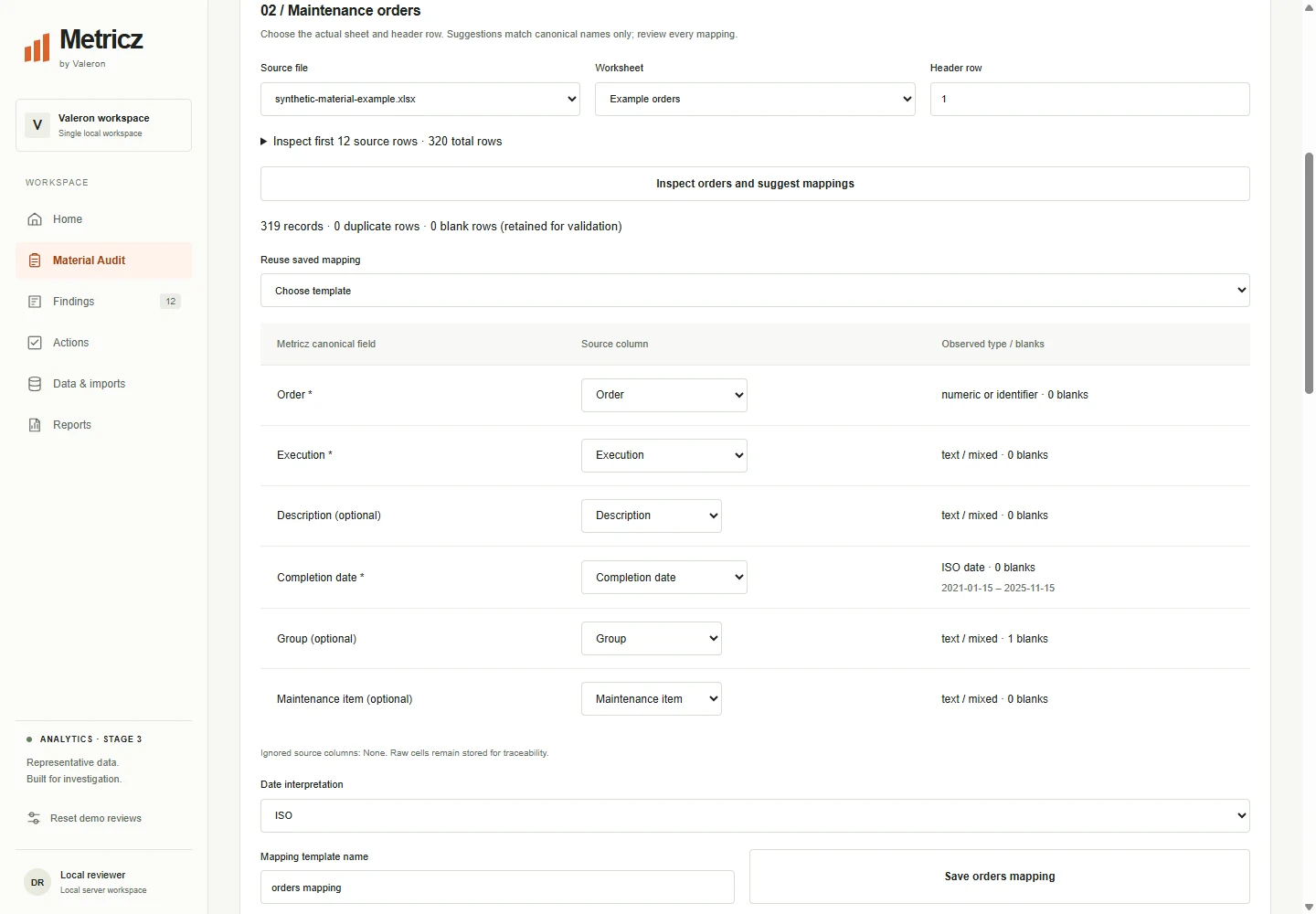
Save reviewed mappings for recurring export structures. Changes to ordered headers require review. Suggestions match column names; they do not automatically interpret SAP semantics.
MATERIAL BEHAVIOUR
Compare issued, reversed and net quantities, annual return percentages and eligible twelve-month trailing rates. Findings retain sample context and reasons, so sparse history and incomplete periods remain visible.
The period return rate uses total reversed quantity divided by total issued quantity. A missing denominator or ineligible rolling window is shown as unavailable.
INVESTIGATION & EVIDENCE
Inspect the orders and material movements contributing to a finding. File, sheet and row references keep the calculation connected to the uploaded source, while the finding explains its pattern, thresholds and limitations.
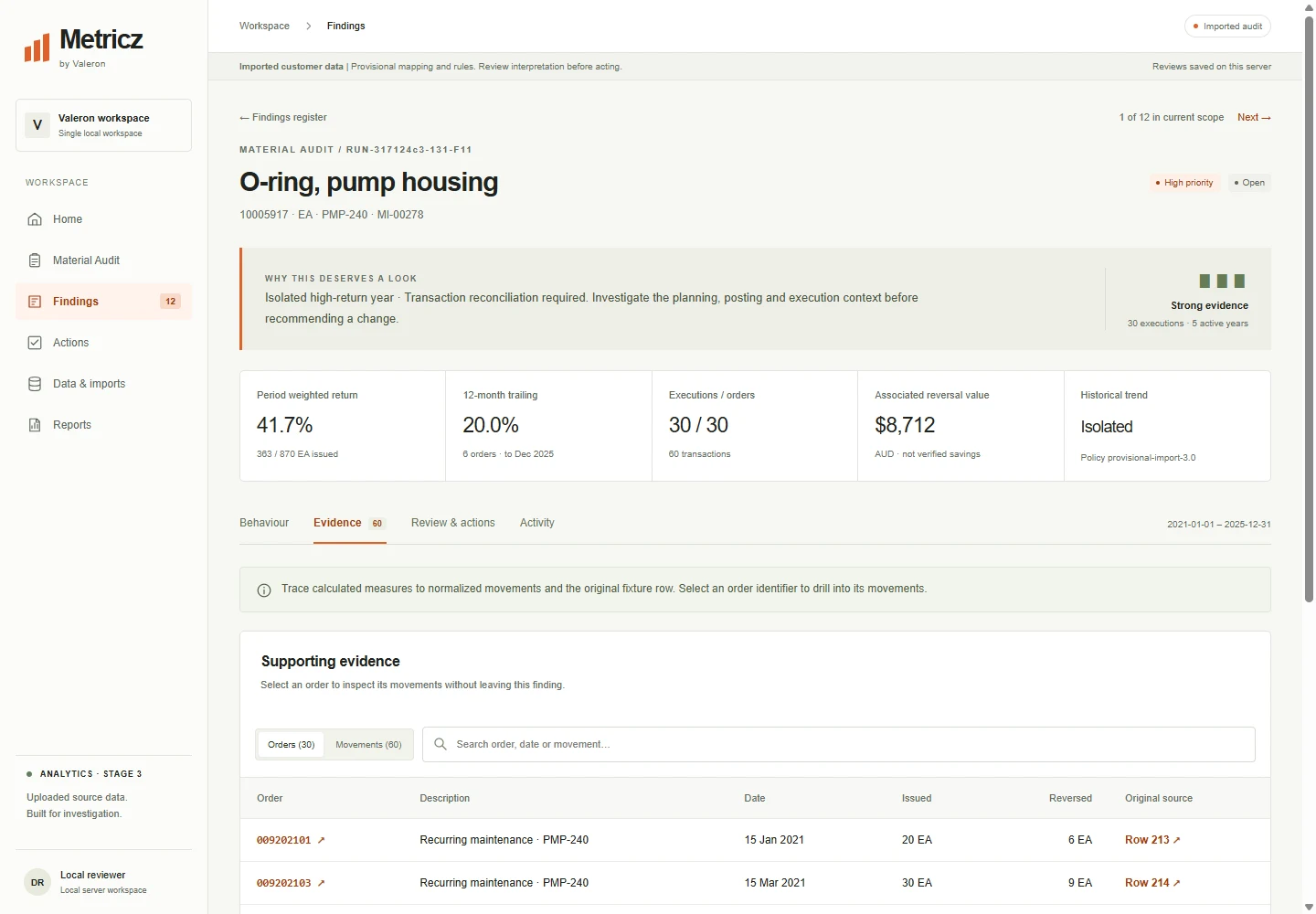
Retain review notes, supporting evidence, a disposition and follow-up actions with owners and dates. Closure requires the review details and completion of outstanding actions.
Reviews persist in the local workspace. Reviewer and owner names are recorded labels; they are not authenticated enterprise approvals or authority to change SAP data.
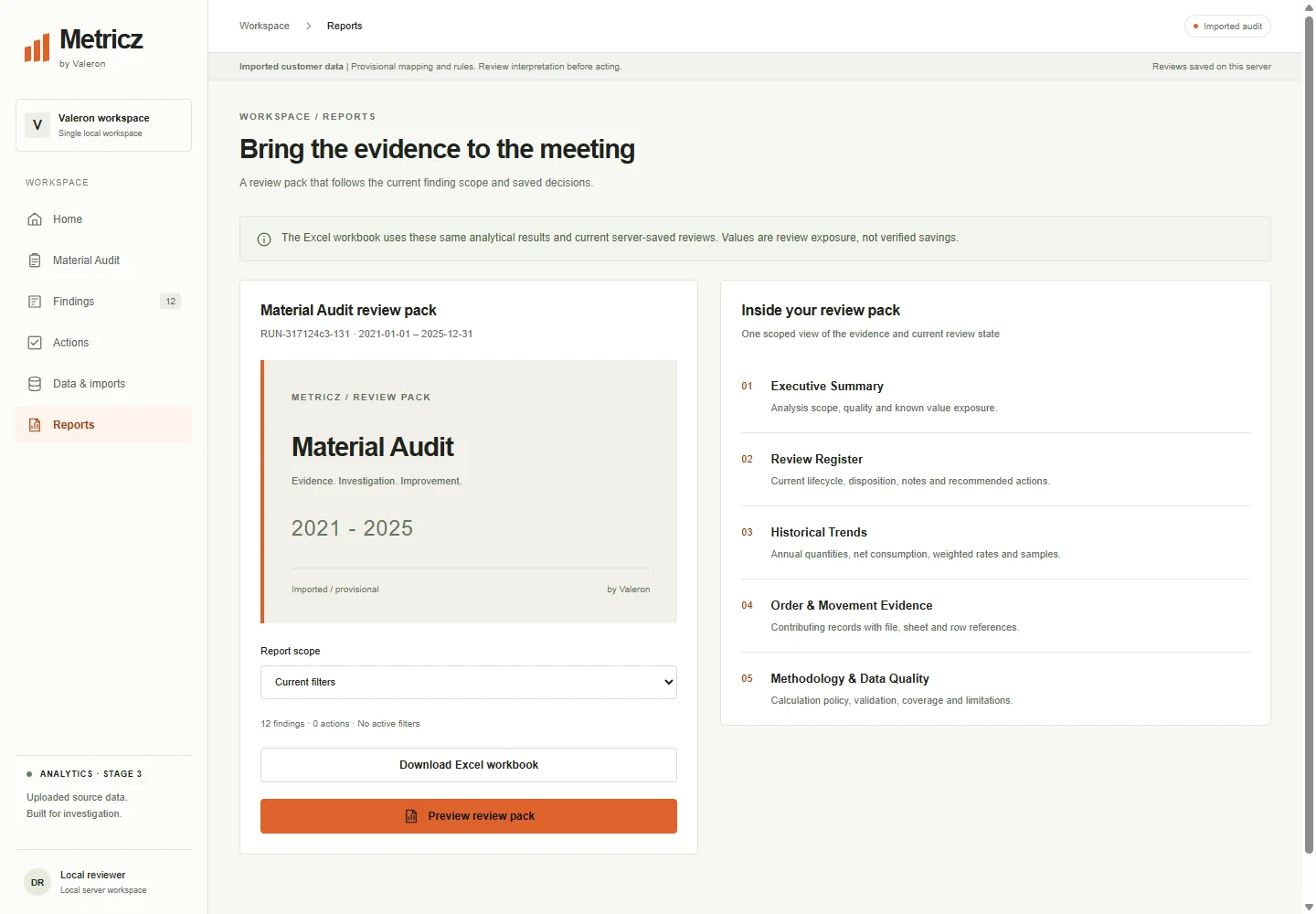
Export the selected findings, review register, actions, historical and trailing analysis, order and movement evidence, data quality and methodology. Reports use the saved analytical results and current review scope.
PREPARING SOURCE DATA
Provide exports for the same population: order and execution identifiers, completion dates, material movements, posting dates, quantities and units. Optional grouping and values need their own agreed meaning.
Confirm issue and reversal codes, quantity signs, date formats, join keys and source coverage. SAP movement semantics must be configured and validated against representative examples.
Inspect missing, duplicate, invalid and unmatched records. Blocking errors prevent analysis; excluded records and warnings remain explained and traceable.
Use values-only XLSX or supported UTF-8 CSV. Current limits are 10 MB and 100,000 data rows per file, with up to 20 sheets. Processing is bounded; formats and real data volumes are reviewed during setup.
CURRENT SCOPE & DEPLOYMENT
Metricz currently runs as a single-machine local review workspace. Real SAP export mappings and transaction interpretation require validation. A walkthrough establishes the maintenance question, available data and intended review process.
It does not connect to or write back to SAP, and is not offered here as a hosted enterprise service. Task-list effectiveness, planned-versus-actual work-order analysis and comprehensive SAP master-data auditing are outside the current scope.
Meet the company behind Metricz or explore Valeron’s operational solutions.
No. Metricz analyses uploaded Excel or CSV exports. It does not provide a direct SAP connection, OData, SAP APIs, SAP authentication or SAP write-back. Manual upload is a deliberate, permanent core workflow.
The current material audit uses maintenance orders and material movements for the same population and period. Supply explicit identifiers, dates, quantities, units and movement meanings. Export structure, relationships and interpretation must be validated for your dataset; universal SAP export compatibility is not assumed.
Yes. Save reviewed mappings for exports with the same ordered headers. Changed structures require explicit review. Column suggestions do not infer SAP movement semantics; issue/reversal codes, signs and date interpretation must be configured and checked.
Return percentage is reversed quantity divided by issued quantity, multiplied by 100. Whole-period rates use summed quantities, not an average of annual percentages. A zero denominator is unavailable. Twelve-month trailing analysis requires complete window coverage and a sufficient sample; ineligible windows show gaps and reasons.
No. Reversals are transaction classifications, not proof of unused physical parts or waste. Net quantities are accounting quantities. Reversal values describe supplied transaction values, not verified savings. Findings need investigation of posting, timing and maintenance context.
Yes. Findings link to contributing orders and movements, with file, sheet and source-row references. Review decisions, selected evidence and actions can be retained alongside the finding and included in an Excel review pack.
Not currently. The implemented scope is maintenance material analysis and audit workflows. Task-list comparisons, work-order plan-versus-actual analysis, BOM recommendations and comprehensive SAP maintenance master-data auditing are outside the current scope.
The current application is a single-machine local review workspace. It does not offer multi-tenant production SaaS, SSO or authenticated enterprise approvals. We discuss intended users, data handling and deployment requirements during a guided walkthrough.
GUIDED WALKTHROUGH
See the workflow with synthetic example data and discuss which exports and interpretation your review would require. Any sample-data review is arranged separately.