SHUNTER BY VALERON / MINING SHUTDOWNS
Mining shutdown management software
Shunter is Valeron’s operational software platform. It supports mining maintenance shutdown planning, coordination, governance and execution by connecting maintenance work, people, schedules and reporting.
For maintenance and shutdown managers, superintendents, planners, schedulers, reliability teams and mining contractors who need a shared operational view.
Explore the Shunter operational platform
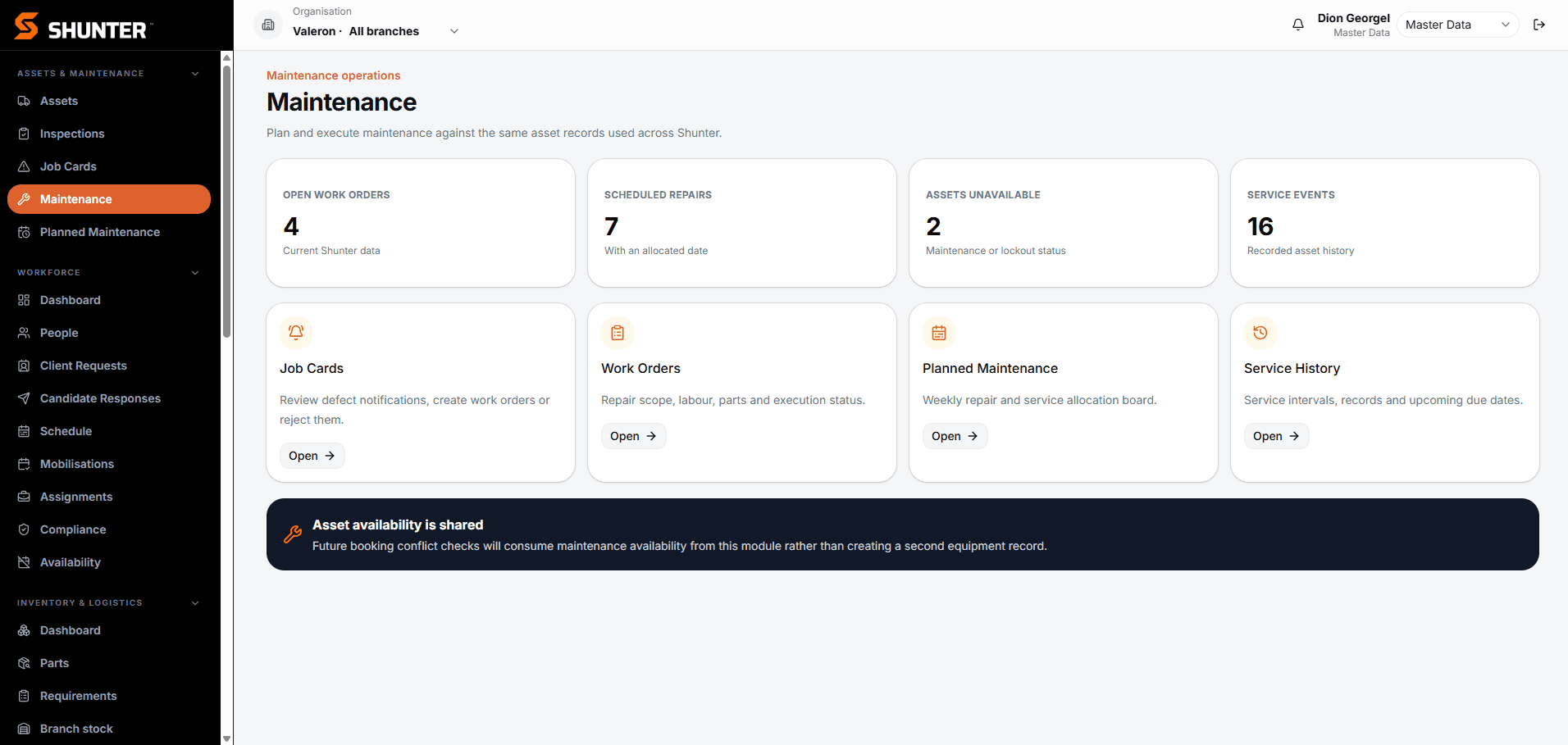
Keep the shutdown plan connected to the work.
A work order can be in scope while labour, parts or an approval are still outstanding. Planners and supervisors need to see those gaps before they become execution problems. Shunter brings the operational information together so maintenance teams can review readiness, coordinate work and make decisions with a shared view of status.
THE SHUTDOWN WORKFLOW
01
Planning and readiness
Build a view of the work scope and what it needs before execution. Bring work-order status, materials information and workforce requirements into the readiness discussion, using the planning phases and measures agreed for your operation.
- Review scope, work orders and planning milestones
- Identify outstanding materials, documentation and labour requirements
- See readiness by workgroup and focus on exceptions
02
Scope changes and break-in approvals
Make late work a visible decision. A configured break-in workflow captures the proposed scope, reason, priority, risk and resource requirements for review by the appropriate approval roles. Comments and decision history keep the reasoning with the request.
- Submit the scope and reason for inclusion
- Review the request against site approval authorities
- Keep the decision, owner and supporting comments visible
03
Workforce and contractor coordination
Give coordinators a shared view of people, mobilisation, qualifications and compliance alongside operational allocation. Review workforce requirements with supervisors so they can identify gaps and coordinate workgroups before committing work.
- Review workforce readiness and mobilisation status
- Coordinate people and allocations across operational work
- Keep responsibilities clear between planners, supervisors and contractors
Contractor roles, access and approval responsibilities are agreed during configuration.
For personnel records, availability and assignments, explore mining workforce management with Shunter. For supplier-facing coordination, explore contractor mobilisation with Requestz. It is a separate Valeron product; the right fit is discussed with your team.
04
Scheduling and execution coordination
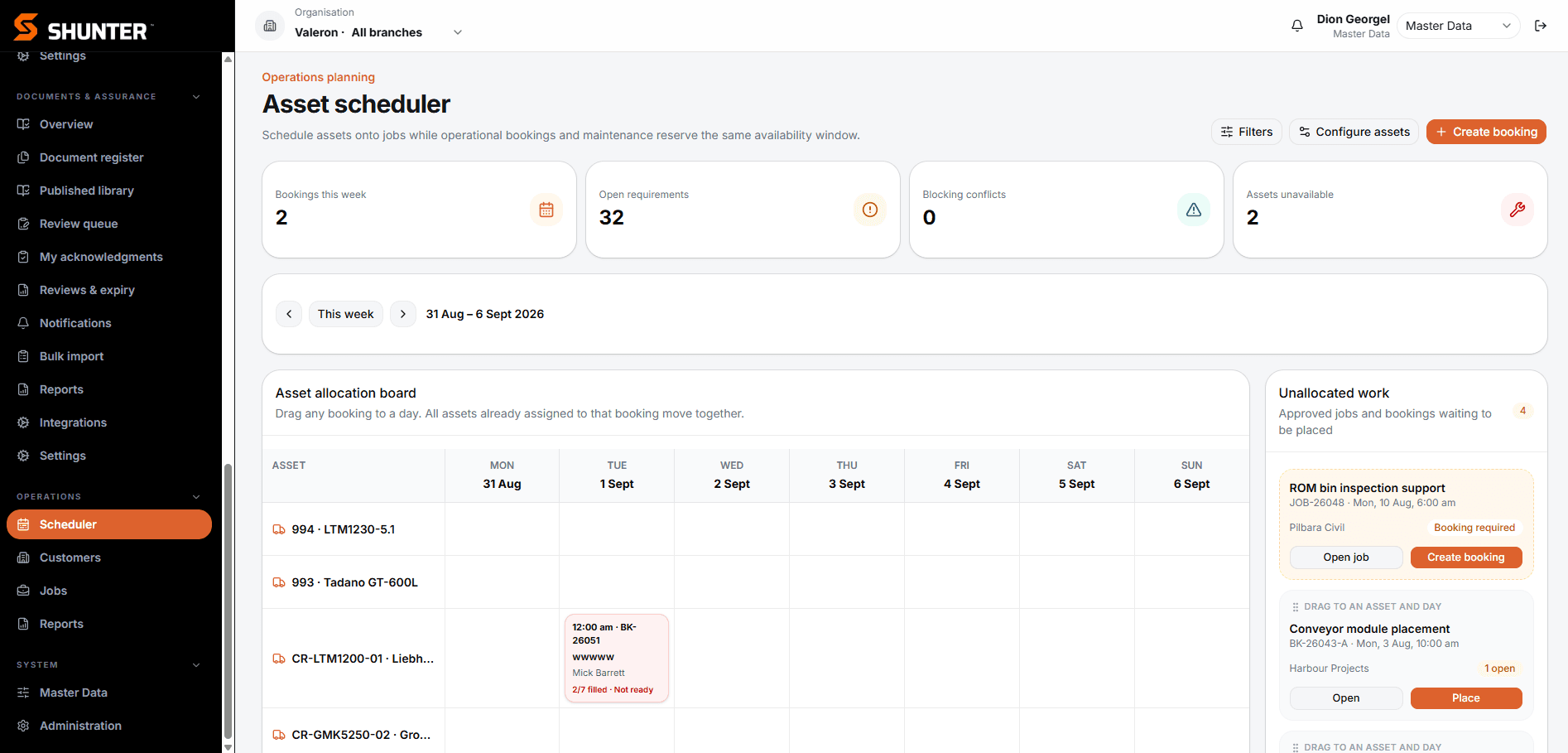
Shunter provides operational schedules, allocation and workflow status for planners and supervisors. Its asset scheduler shows bookings and unallocated work, helping teams coordinate the resources behind execution.
- View operational bookings and allocations
- Review work awaiting allocation
- Coordinate planned maintenance with operational activity
Use Shunter alongside your specialist shutdown scheduling process. Primavera P6 replacement, critical-path calculations and automatic resource levelling are outside the scheduling capability described here. Any exchange with an existing scheduling system must be scoped and confirmed with Valeron.
05
Progress, exceptions and operational decisions
Follow work-order progress, outstanding approvals and readiness exceptions by workgroup. Bring overdue activities, missing information and materials status into the same operational discussion so leaders can identify the next action and responsible team.
- Review work completed against the agreed target
- Identify overdue work and outstanding decisions
- Use current status to focus workgroup follow-up
The status definitions, exception views and reporting responsibilities are configured for your shutdown process.
06
Shutdown reporting and post-shutdown review
Use captured work status, approval history and operational reporting to review how the shutdown was delivered. Compare the information available during execution with the decisions made, then use those findings to agree improvements for the next shutdown.
- Review work progress and the decision record
- Bring consistent information to the post-shutdown review
- Identify lessons and agree follow-up responsibilities
Reporting outputs and any action-tracking workflow are defined during solution design.
If labour capture is your immediate requirement, see mining timesheet and labour capture with Timesheetz, a focused Valeron product.
ILLUSTRATIVE WORKFLOW
A late repair request before the shutdown.
An example of a configured workflow, not a customer case study. The approval roles and required information are agreed for the operation.
01
Submit the proposed work
A supervisor raises a late repair request with the scope, reason for inclusion, priority and risk. The configured workflow keeps the request and supporting comments together.
02
Review readiness and resources
The planner considers work-order information, labour needs, parts and documentation before recommending whether to include the work. People make this assessment using the available operational information.
03
Record the decision
The designated approver reviews the request. The decision and comments remain visible in the approval history, giving the shutdown team a traceable record.
04
Coordinate the next action
If approved, the responsible team coordinates the work and its allocation through the agreed planning process. Supervisors review the resulting work status; approval does not automatically recalculate a specialist shutdown schedule.
IMPLEMENTATION & SYSTEMS FIT
Start with your shutdown process.
Valeron begins with the work, users and decisions. We map responsibilities and information flows, agree configuration, pilot with real users and support adoption. Operational feedback shapes the next iteration.
Shunter sits alongside the wider enterprise environment. Role-based access, organisational boundaries and integration requirements are confirmed for each implementation. Approved REST APIs and structured data exchange can be considered during solution design; specific system connections are scoped before they are promised.
BUILT FROM OPERATIONS
Mining and maintenance experience behind the software.
Valeron was founded in Western Australia. Founder Dion Georgel brings more than 20 years of operational and industrial experience, including approximately eight years at Planning Superintendent level within Tier 1 mining operations.
That background spans maintenance planning, shutdowns, fixed plant, contractors, workforce coordination and operational reporting. It informs the questions we ask about how your work is planned and delivered.
Questions about Shunter for mining shutdowns
What is Shunter?
Shunter is the operational software platform developed by Valeron, an Australian software company. It connects assets, maintenance, workforce, scheduling, documents, inventory and reporting. Mining shutdown management is a Shunter use case, with workflows configured for the operation.
How does Shunter support mining shutdowns?
It connects the operational information behind planning readiness, scope approvals, workforce coordination and execution visibility. Valeron works with your team to define the workgroups, responsibilities, approval steps and reports needed for your shutdown process.
Does Shunter replace our CMMS?
A shutdown implementation does not assume replacement of your existing CMMS or ERP. Shunter can provide an operational layer alongside those systems. Data ownership, imports, exports and any integration are agreed during solution design; a connection to a particular CMMS is not assumed.
Does Shunter replace Primavera P6 or specialist scheduling software?
Shunter’s role here is operational scheduling, allocation and work coordination. Keep your specialist tool for critical-path planning and resource levelling where required. Valeron will confirm how the operational workflow fits your scheduling process and whether a specific data exchange can be supported.
Can contractors and external workforce use Shunter?
Shunter supports workforce information, mobilisation and role-based access. The roles, organisational boundaries and access needed by contractor coordinators or external participants must be confirmed for your implementation. Access is configured around agreed responsibilities.
Can the shutdown workflow be configured for our operation?
Yes. Valeron works with your shutdown process, planning phases, workgroups, approval authorities, site terminology and reporting requirements. The configuration is agreed against your operational needs and validated with users.
How is Shunter implemented?
Valeron starts by understanding the work and mapping the users, decisions and information involved. The team then agrees configuration and any integration requirements, pilots the workflow with real users, supports adoption and iterates based on operational use. Scope and delivery arrangements are confirmed for each implementation.
SEE THE WORKFLOW
Walk through your next shutdown with Shunter.
Bring your scope, readiness or coordination challenge. We’ll walk through the relevant Shunter capabilities and discuss what needs to be configured for your operation.